
CSC Billing
CSC பில்லிங்
Billing, stock and accounts for CSC / e-Sevai and browsing centres
Windows
v1.3.4 · 64-bit · 3.4 MBv1.3.4 · 32-bit · 3.4 MB
Billing, stock and accounts for CSC / e-Sevai and browsing centres
Billing, customers, stock, accounts and reports in one Windows program for CSC (common service) centres, e-Sevai centres and browsing centres. Works in English and Tamil.
CSC / இ-சேவை மையங்களுக்கான பில்லிங், வாடிக்கையாளர் மற்றும் அறிக்கைகள்.
One bill can mix services and products. Each line has quantity, rate and discount, and GST is split into CGST and SGST. Payment can be Cash, UPI, Card or Credit. Invoice numbers are generated automatically.
A valid 10-digit customer mobile number is required to save a bill. Customers are found by mobile or created automatically.
Search by date, invoice number, mobile or name. Reprint on any paper size, preview, share on WhatsApp, save as PDF, or cancel a bill (admin only; stock and cash or credit entries are reversed).
After saving, the bill can open in WhatsApp (Desktop or Web) with shop name, items, GST, total and payment mode. You press Send. Tamil text is supported.
Prints on any Windows printer in A4, A5, 80 mm or 58 mm thermal layouts, with print preview.
Services with rate, GST % and SAC. Products with HSN, unit, purchase and sale price, GST % and reorder level. Common CSC services and stationery items are added on first run.
Purchase entry adds stock and can update the purchase price. Credit purchases go to supplier payables. Stock adjustment accepts plus or minus quantities. A low-stock alert appears at start-up.
Start and stop a session for each PC. Charges use the per-hour rate, billed in 15-minute blocks with a 15-minute minimum. Stop and Bill opens a bill with the session filled in.
Income and expense entry (F6), customer receipts and supplier payments (F7), cash book and day book with opening and running balance, receivables, payables, daily collection by payment mode, and Profit and Loss.
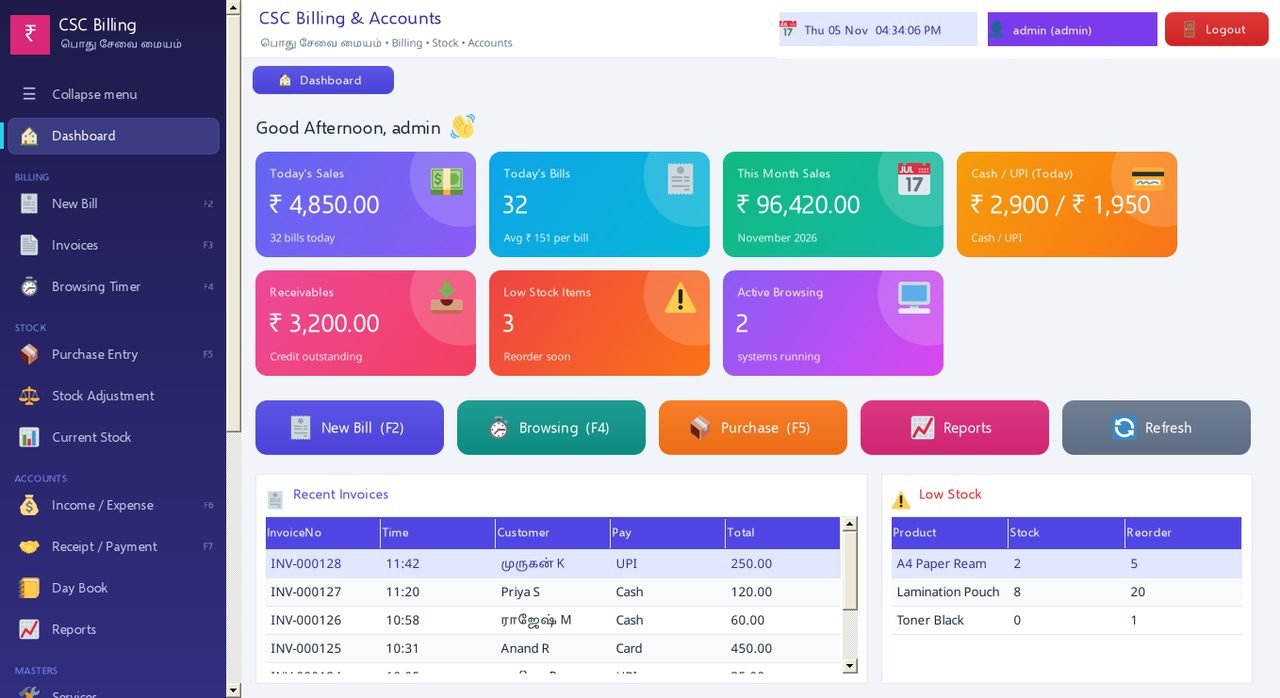
Today's sales and bills, month sales, Cash / UPI split, receivables, low stock and active browsing sessions.
Admin and user roles with separate logins. Passwords are stored as salted hashes.
Single PC uses SQLite with nothing extra to install. Several PCs can use SQL Server Express.
Backup and restore from the File menu. Restore keeps a safety copy of the current database first.
Download the demo and see it for yourself. Questions? Message us on WhatsApp.
Payment: GPay / UPI 8760049007