ITITCat Software Solutions
Home / Software / Resume Maker

Resume Maker

ரெஸ்யூம் மேக்கர்

Resume designer for print and DTP shops

Windows v1.1.2 · 8.2 MB
Resume Maker
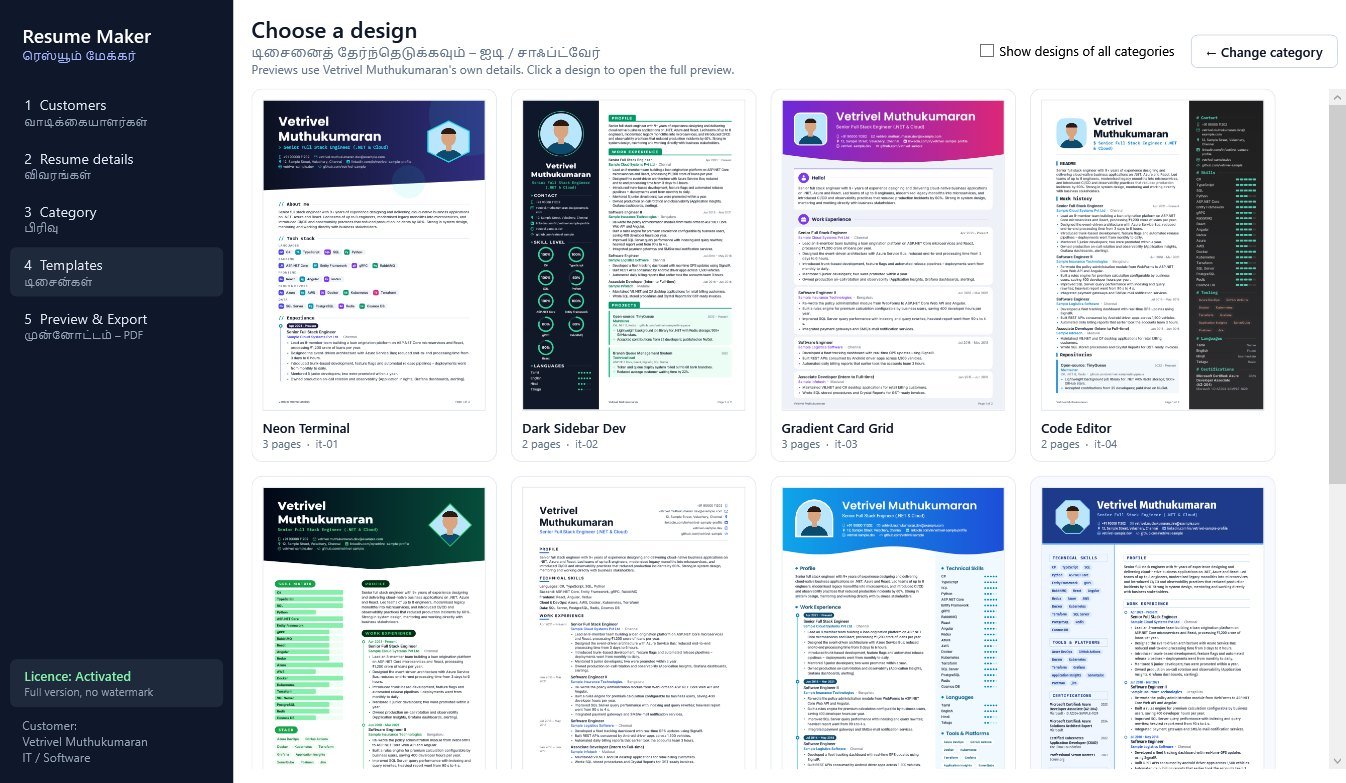
Resume Maker design gallery

Overview

Enter a customer's details once, choose a category and one of 140 A4 designs, check the preview, then export a PDF named after the customer or print it. Customer data is saved on your own PC.

பிரிண்ட் / DTP கடைகளுக்கான ரெஸ்யூம் டிசைனர்: 14 பிரிவுகள், 140 டிசைன்கள், PDF ஏற்றுமதி.

Key features

Customers and data

Customer database

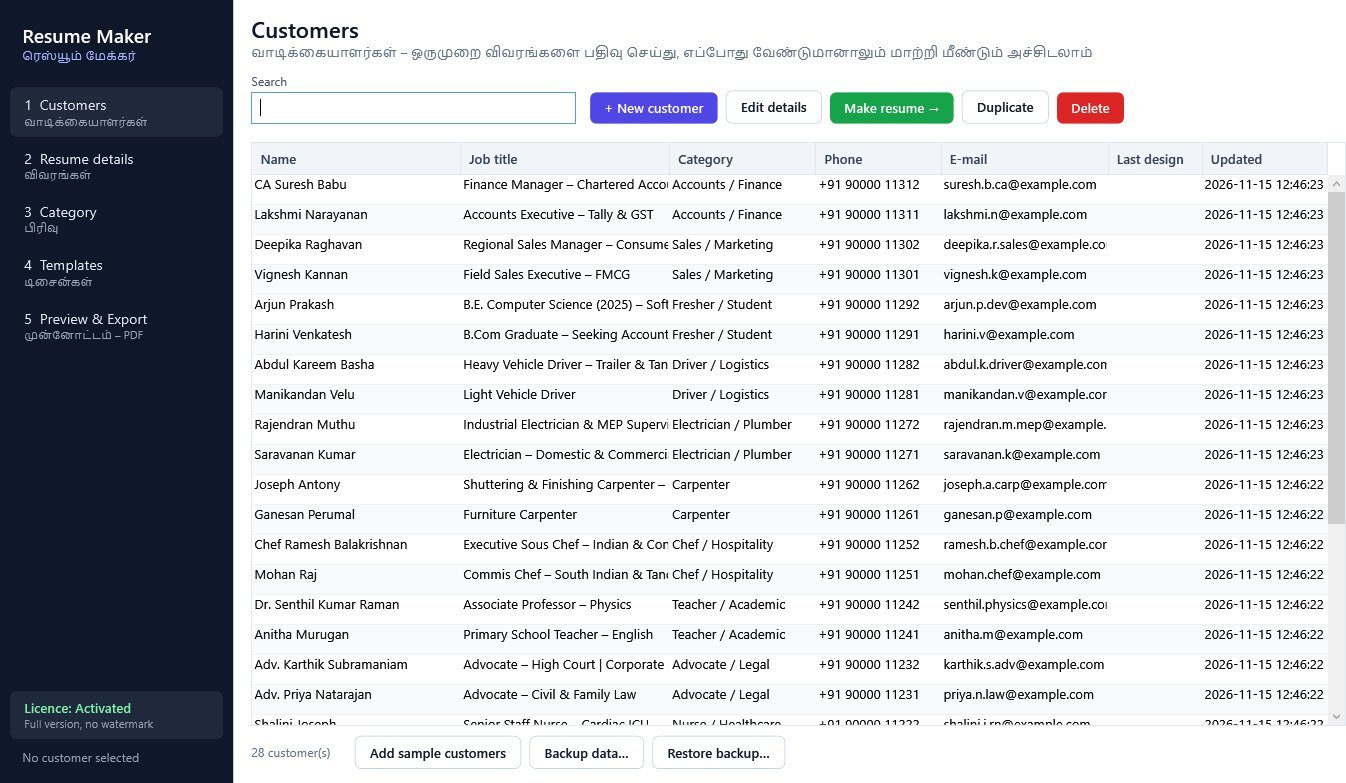
Details are saved in a local database on your PC. Search, add, edit, duplicate and delete customers, and use Make resume to continue straight to the designs.

Sample customers

Add sample customers loads 28 fictional samples, a short and a long one for each of the 14 categories, so you can try every design.

Backup and restore

Backup data copies the whole database to a single .rmbak file. Restore backup brings it back on the same or another PC.

Resume details

Detail tabs

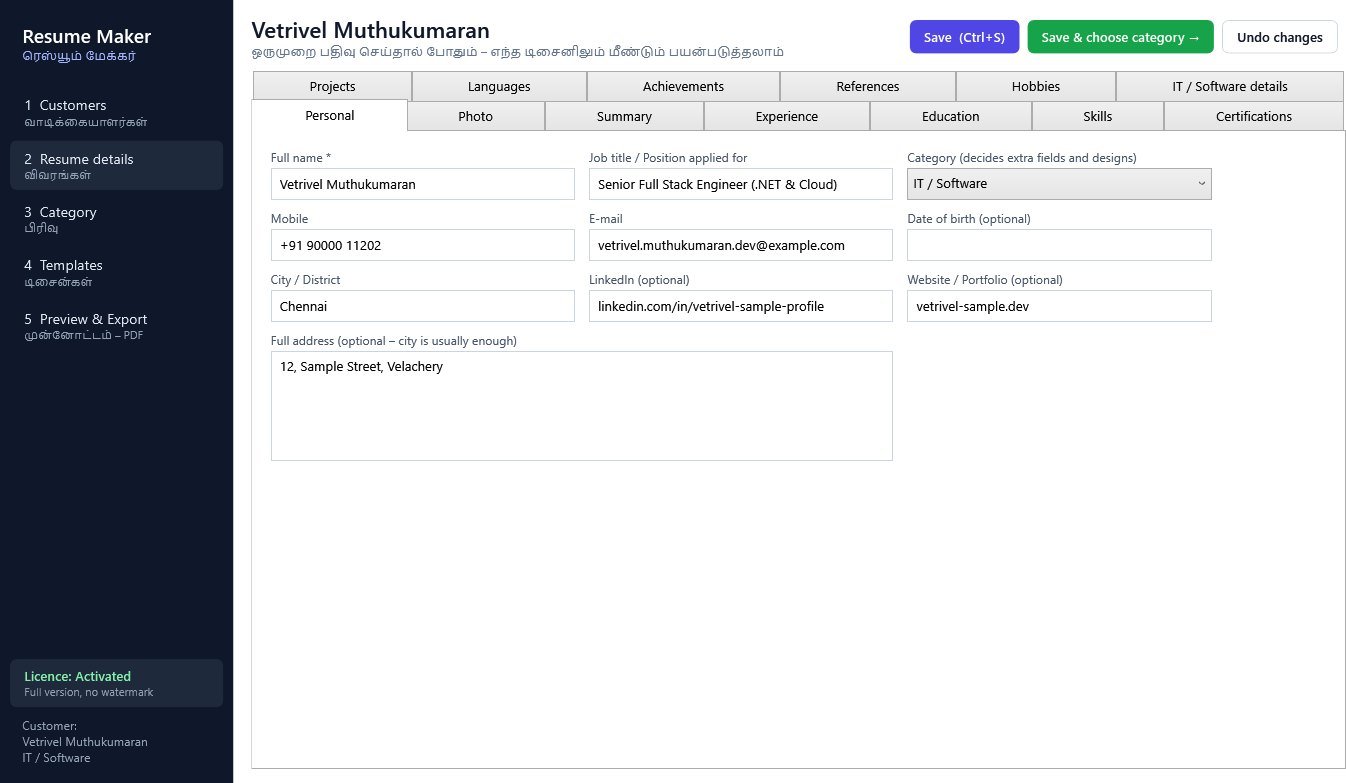
Personal, Photo, Summary, Experience, Education, Skills (level 1 to 5), Certifications, Projects, Languages, Achievements, References and Hobbies. Ctrl+S saves. Sections left empty are not printed.

Customer photo

Choose a JPG, PNG or BMP photo and it is cropped to a square automatically. Designs without a photo show the customer's initials.

Category-specific fields

Each category adds its own details tab, and the category sets the section order and headings used in the resume.

Categories and designs

14 categories

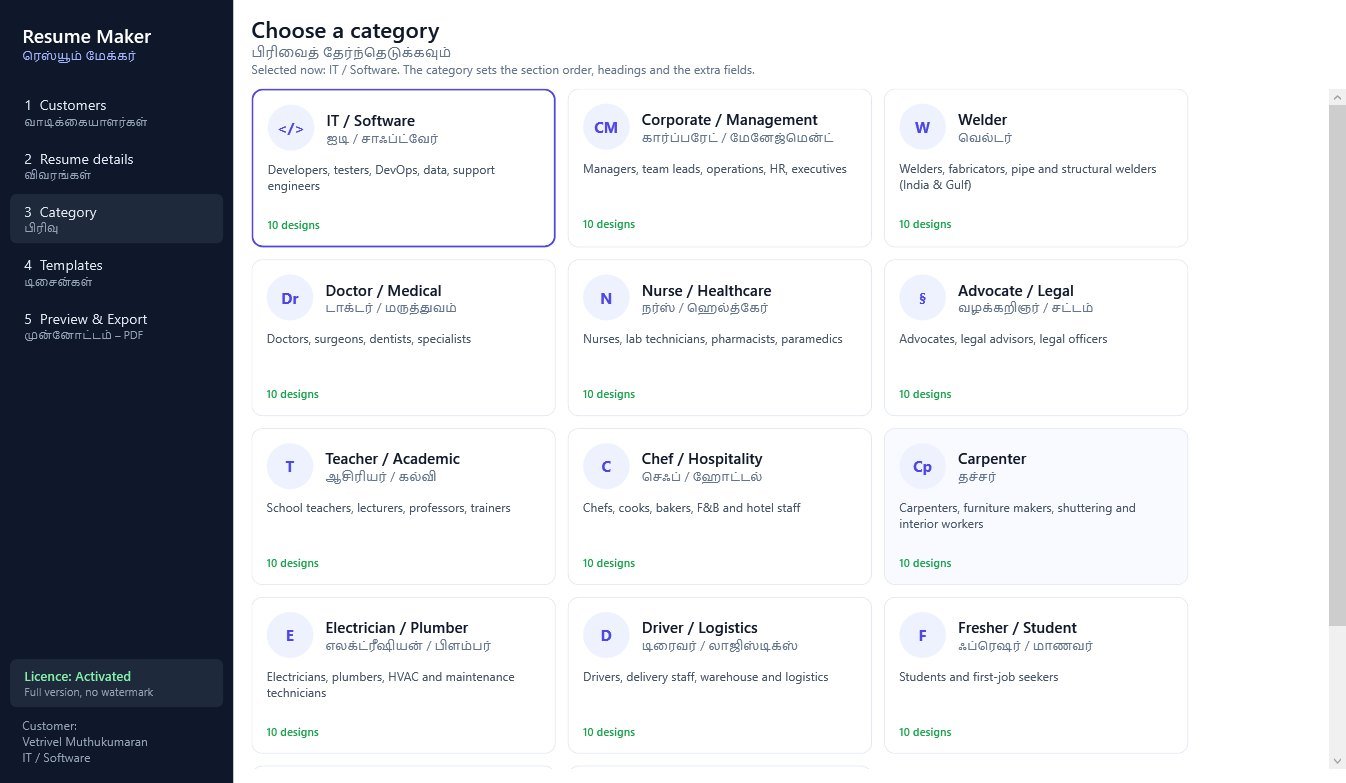
IT, Corporate, Welder, Doctor, Nurse, Advocate, Teacher, Chef, Carpenter, Electrician, Driver, Fresher, Sales and Accounts.

140 designs

Ten designs for every category. Within a category each design has its own photo shape, header, heading style, skill display and column layout.

Design gallery

The gallery draws every design with the customer's own details, so the customer can pick from real previews. A switch shows designs from all categories.

Preview and output

Preview matches the PDF

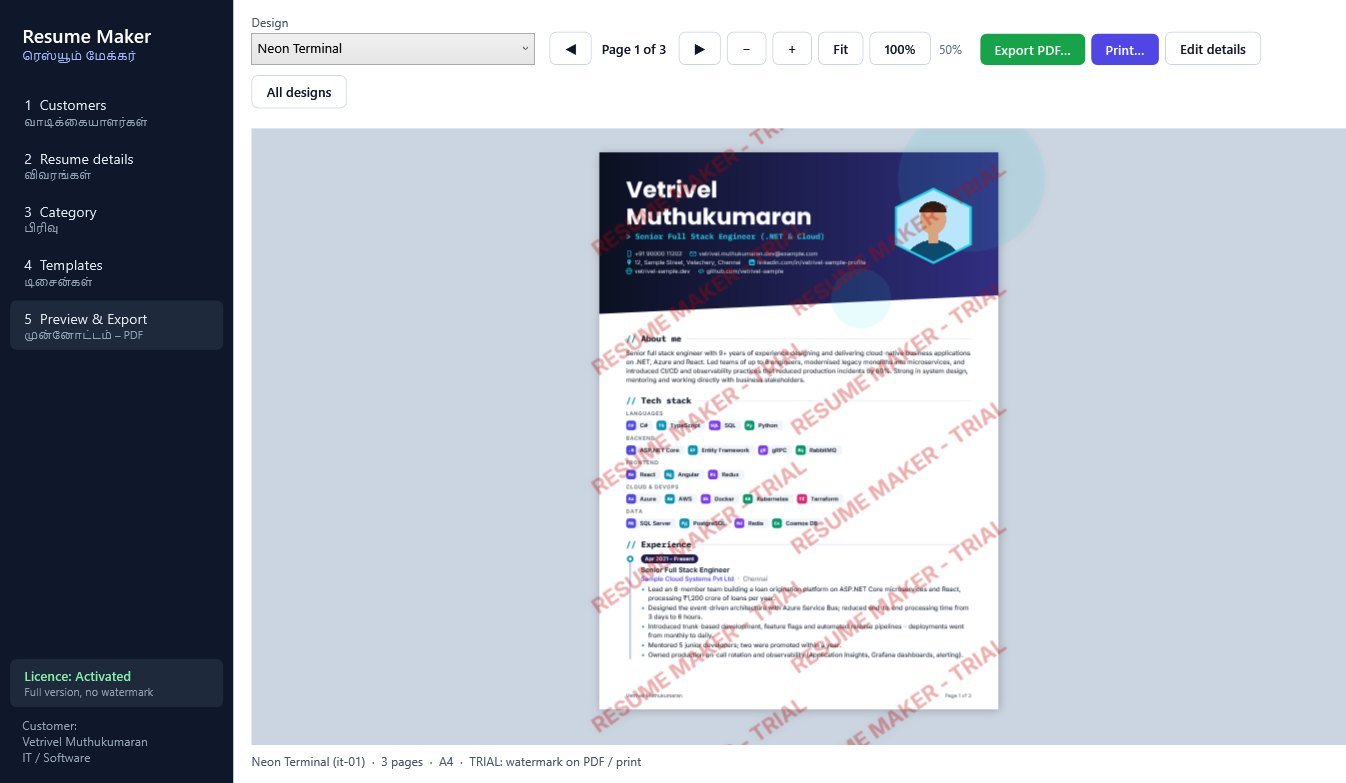
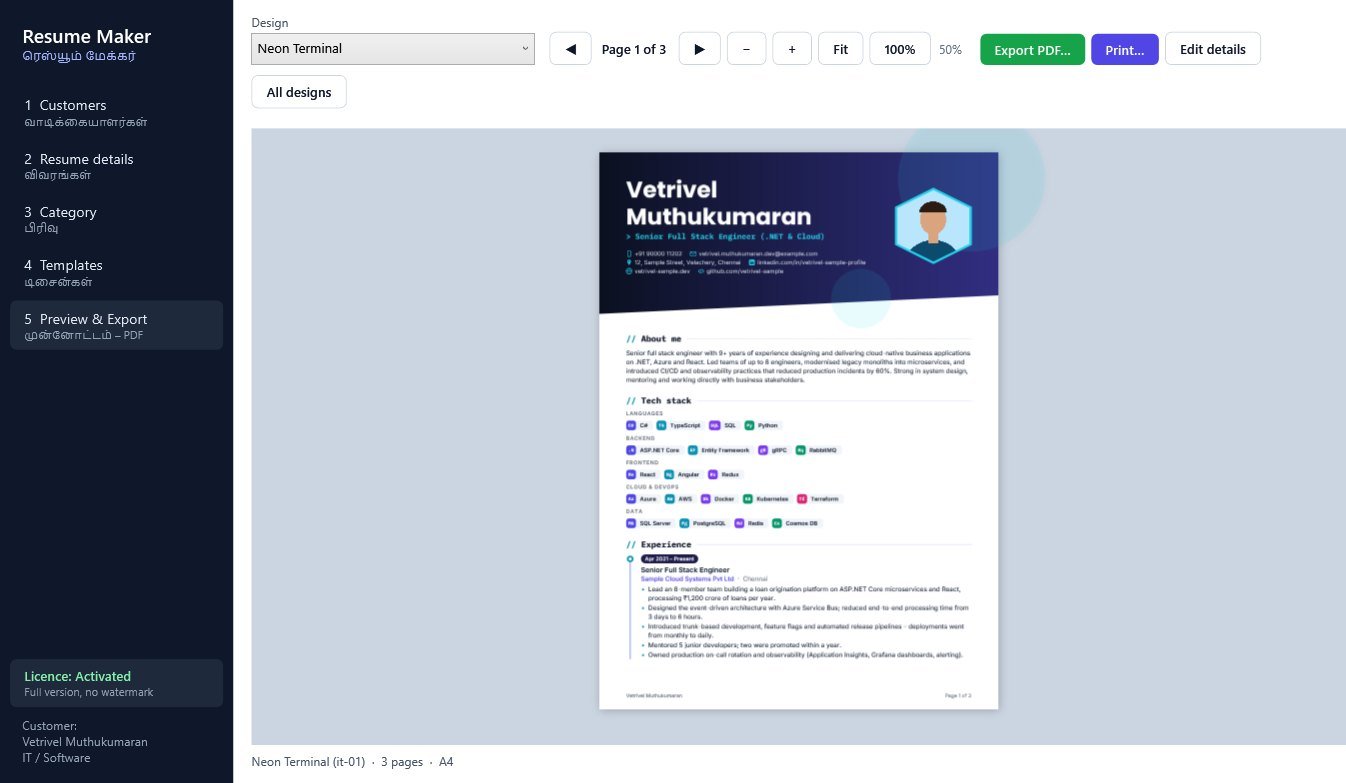
The preview and the exported PDF use the same layout. Long resumes continue on extra pages, and a heading is kept together with its content.

Page navigation and zoom

Previous and next page buttons (also PgUp / PgDn), zoom out, zoom in, Fit and 100%, and Ctrl + mouse wheel.

Export PDF and print

Export PDF suggests a file name made from the customer's name. Print sends the resume to your printer from the preview. Paper size is A4.

Resume categories

IT / SoftwareCorporate / ManagementWelderDoctor / MedicalNurse / HealthcareAdvocate / LegalTeacher / AcademicChef / HospitalityCarpenterElectrician / PlumberDriver / LogisticsFresher / StudentSales / MarketingAccounts / Finance

Screenshots

Screenshots use fictional sample customers.
Choose a design: every design is drawn with the customer's own details.
Preview with page navigation, zoom, Export PDF and Print.
Customers: search, add, duplicate, backup and restore.
Resume details: one tab for each section.
Choose a category: 14 categories with 10 designs each.
Trial version: preview, PDF and print carry a tiled watermark.

Specifications and requirements

Version1.1.2
File size8.2 MB
PlatformWindows 7 SP1, 8.1, 10 and 11 (32-bit and 64-bit)
Runtime.NET Framework 4.8 (included with current Windows 10/11; the installer adds it if missing, which needs an internet connection)
InstallerStandard Windows setup with Start menu and desktop shortcuts and an uninstaller
DataStored in a local database file on your PC; Backup data saves a copy
Paper sizeA4
LanguageApp labels in English with Tamil subtitles. Resume text is laid out for English; Tamil text in the resume body is not shaped in the PDF
InternetRequired every time the app is opened: the licence is checked online against this PC. The app will not open without an internet connection.
PublisherITCat Software Solutions

Licence and activation

Free trial: no usage limit. The preview, PDF export and print carry a tiled "RESUME MAKER - TRIAL" watermark.
Activation: your ITCat distributor activates your copy and the watermark is removed. Each time the app opens, it verifies the licence online for this PC.
Register once with your name, mobile and the distributor's 10-digit mobile number.

Try Resume Maker today

Download the demo and see it for yourself. Questions? Message us on WhatsApp.

Payment: GPay / UPI 8760049007

Download Demo WhatsApp