
Photo Maker
போட்டோ மேக்கர்
Passport and ID photo sheets with on-device AI background removal
Windows
v1.4.2 · 17.5 MB
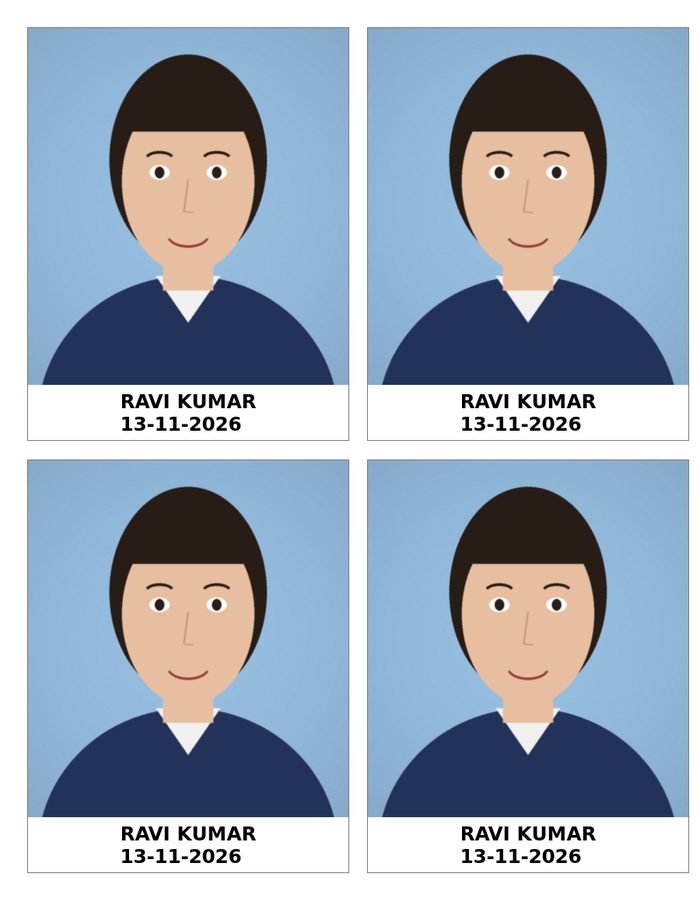
Illustration of the interface
Passport and ID photo sheets with on-device AI background removal
Prepare passport, visa and ID photos on a Windows PC: remove or replace the background, set the size, arrange copies on a sheet and print at true size. Photos are processed on your PC.
உங்கள் PC-லேயே இயங்கும் AI பின்னணி நீக்கத்துடன் பாஸ்போர்ட் / ID புகைப்பட ஷீட்கள்.
The AI model is included in the installer and runs on your PC (photos are not uploaded). The Background panel replaces the background, and Erase / Restore tools (E / R) fine-tune the result.
Drag to move, mouse wheel to zoom, Shift + wheel or the Angle slider to rotate. An Adjust panel and crop / flip are available, with reset options.
Add a name or date strip under the photo with the Text tool (T) or the Frame and Text panel.
Undo / Redo (Ctrl+Z / Ctrl+Y) for the last 30 steps.
Passport India 35 × 45 mm, Stamp 20 × 25 mm, Visa / US 2×2 in, PAN card 25 × 35 mm, China visa 33 × 48 mm, Canada 50 × 70 mm. You can add your own custom size templates.
A4, 4×6 in (Maxi), 5×7 in, A5 and Letter paper. Choose orientation, spacing and cut lines; photos are arranged on the sheet automatically, with extra pages when needed.
Set the number of copies per photo and press Add to Sheet. Later changes update that photo on the sheet.
Print at true size with print preview.
Export the sheet as an image (300 DPI) or as a PDF. Photos can be opened by drag and drop.
Download the demo and see it for yourself. Questions? Message us on WhatsApp.
Payment: GPay / UPI 8760049007